The auto loot system automatically collects loot from monsters once you kill them — no need to open corpses manually. Simply configure which items you want to collect and they will go straight into your backpack.
How to Use the Auto Loot System
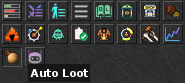
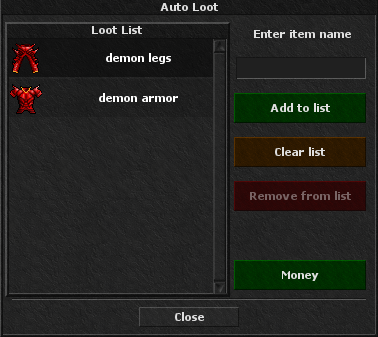
In-Game Client Auto Loot Window
Open the auto loot window directly in the game client to manage your loot list visually.
In-Game Commands
Use these commands in the game chat to manage your auto loot list:
!autolootShow all available auto loot commands.
!autoloot moneyCollect all types of money and transfer them to your bank.
!autoloot add, item_nameAdd an item to your auto loot list.
!autoloot remove, item_nameRemove an item from your auto loot list.
!autoloot clearClear all items from your auto loot list.
Bronze Key
Use the bronze key on items to manage your auto loot list:
Add an item — use the key on the item.
Remove an item — use the key on the item again.
Open the list — use the key on itself.
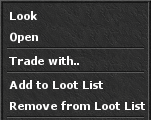
Item Context Menu
Right-click any item in the client to add or remove it from your auto loot list.
Premium vs Free Account
Premium Account
12 slots
Up to 12 items in your auto loot list
Free Account
5 slots
Up to 5 items in your auto loot list
If you lose your premium account and become a free account, your entire auto loot list will be cleared. You will need to add items again.
Important Notes
If your backpack is full, you will receive a warning message.
You will be notified in the loot channel whenever you loot something.
You can increase your auto loot slots by 1 extra slot using a Slot Potion.
How It Looks in the Loot Channel
When auto loot collects items for you, a message appears in the loot channel: